I’m Jim Marion and this is how I work March 25, 2014
Posted by Duncan in How I work.comments closed
Next up in the ‘How I work‘ series is Jim Marion. I suspect that for most reading this Jim will need no introduction, however as I’ve given everyone else a mini-biog I shall do the same for Jim.
Jim is Oracle’s most publicly-facing techie, and I suspect one of it’s most senior technical brains. Jim’s blog – Jim’s PeopleSoft Journal – is one of the (if not ‘the’) most useful and forward thinking PeopleSoft blog(s), and probably the one that gets the most traffic. Jim is a frequent speaker on the US conference circuit where his ‘PeopleTools Tips & Techniques’ sessions are the first ones in many peoples’ agenda planners. Jim is also a published author, with both PeopleTools Tips & Techniques and PeopleTools Data Management and Upgrade Handbook to his name. To top it off, Jim is also a wonderful mix of unfailingly helpful and pretty much always correct.

Name: Jim Marion
Occupation: PeopleSoft Technology Consultant
Location: Home office, Washington State, USA
Current computer: Dell E6420 (OEL 6.4, 8GB RAM, 256GB SSD)
Current mobile devices: HTC Incredible 2, iPad 2, Verizon Fivespot Wireless Hotspot
I work: even when I’m not working
What apps/software/tools can’t you live without?
My phone and some sort of internet connection are both very important. As a remote worker, if I have internet and a dial tone, I can work from just about anywhere. When traveling, I really enjoy having a few books in my Safari Books Online iPad book bag. As far as productivity apps, here is a list of what I use daily: vim, gedit, VirtualBox, KRDC (remote desktop), jEdit, SQLDeveloper, AppDesigner, JDeveloper, Eclipse, Fiddler, Wireshark, Pidgin, Thunderbird, Skype, Vonage, and most of all: Google search.
Besides your phone and computer, what gadget can’t you live without?
My phone and laptop are the two most important. My iPad really helps me keep up with book reading. My Verizon 4g hotspot keeps me connected when hotel or airport WIFI are not very good.
What’s your workspace like?
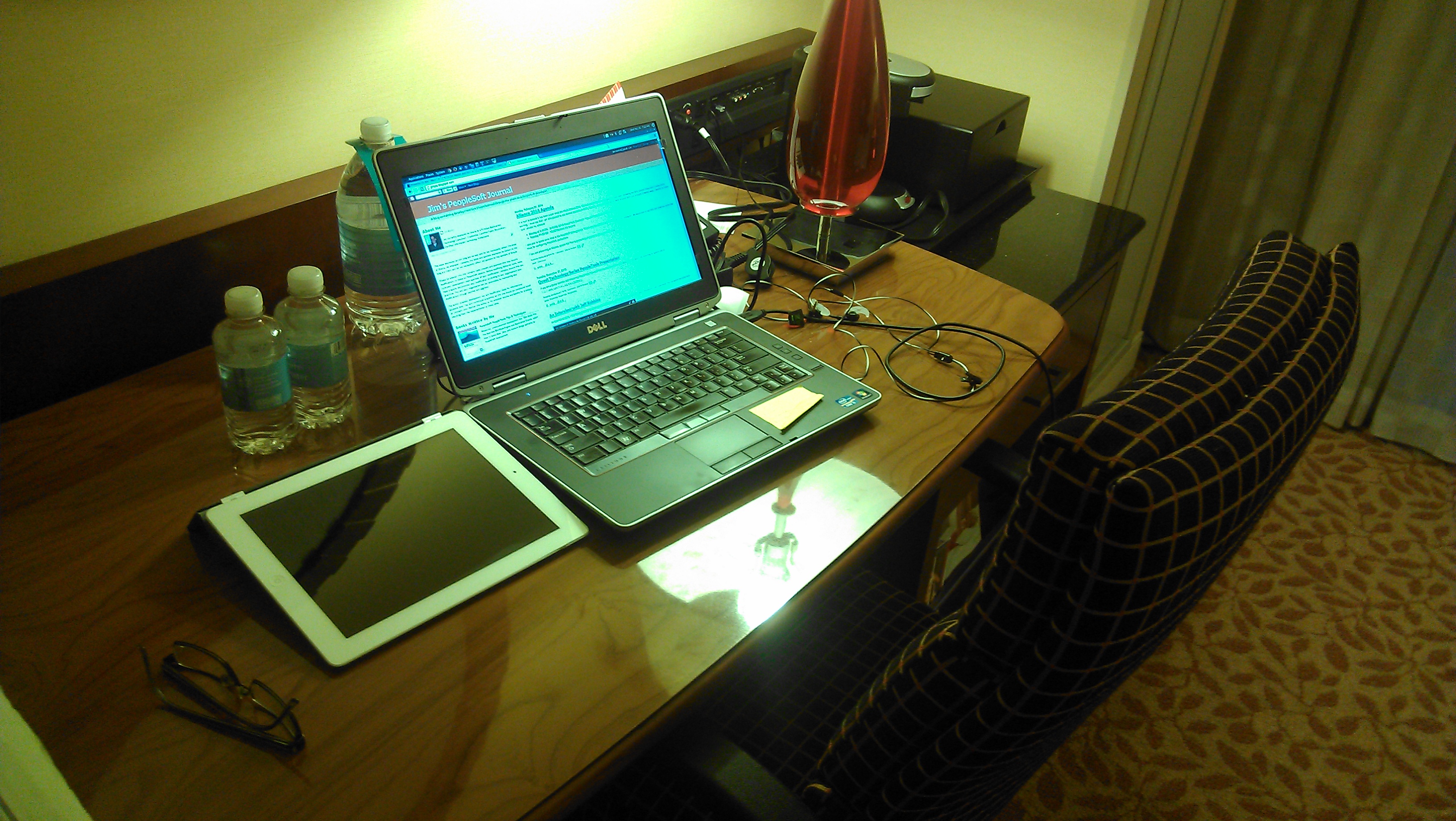
Lately I’ve been spending a lot of time working from Marriott hotel desks that look very much like this:
What do you listen to while you work?
Very occasionally I listen to a playlist on GrooveShark (Toby Mac, Matt Redman, Switchfoot), a message from Andy Stanley, or some instructional presentation by John Resig or another JavaScript icon. Most of the time, however, I find that attempting to listen to something while working is a waste of bandwidth because I am so focused on my work that I don’t seem to hear anything around me.
What PeopleSoft-related productivity apps do you use?
For development, I use Application Designer, SQLDeveloper, jEdit, and JSLint. I also spend a lot of time in discovery and analysis. For this portion of my work, I use Fiddler, Firebug, and SoapUI.
Do you have a 2-line tip that some others might not know?
If you use the PeopleSoft database cache option instead of file system cache, you may already know that you can strategically clear segments of the cache. Unfortunately, with database cache, performing a full database cache purge with psadmin can take a very, very long time. Here is the tip: truncate psobjcache before clearing cache with psadmin.
What SQL/Code do you find yourself writing most often?
I write a lot of SQL against the portal registry and security tables.
What would be the one item you’d add to PeopleSoft if you could?
Code assistance in AppDesigner’s PeopleCode editor: auto fill, auto complete, auto… I spend a lot of time in the PeopleCode Language and API reference verifying syntax. It would be really, really beneficial if App Designer just displayed that information like other integrated suites.
What everyday thing are you better at than anyone else?
Problem identity and resolution. I have an eye for things that are out of place.
What’s the best advice you’ve ever received?
“A generous man will prosper. He who refreshes others will himself be refreshed.” Proverbs 11:25.
Ideas vs Execution March 18, 2014
Posted by Duncan in Look and Feel.comments closed
I received a sobering lesson today in the value of good ideas, versus the execution of these ideas.
Four years ago I read a great post on status boards, and on the train the next day I mulled over the possibility of building something similar in PeopleSoft. This is the image that started my thoughts racing:

This was around the time that PeopleTools 8.50 came out, and I believed that a similar looking status board could be easily created using some query pagelets, some styling and a custom portal. Failing that, I could just knock the whole thing up in iScripts. It’d take probably about a week’s work to build. This status board could then be displayed on a big screen mounted on the wall in whichever department had commissioned it (be it HR, Payroll, Recruitment etc). Not homepage dashboards, but a department-wide dashboard that continually updated.
I pitched my idea around at work but lacked the tenacity to drive it through. In short, I didn’t execute and the idea withered.
Fast forward 4 years to today and I’ve just read an interview on the Zapier blog with the founder of Geckoboard. He read exactly the same blog post as me and had a similar idea, however he executed on it and built a thriving company on the back of his efforts.
The value of the idea was trivial, compared to having the conviction to execute on it. A sobering lesson indeed.
I’m Anton de Weger and this is how I work March 4, 2014
Posted by Duncan in How I work.comments closed
Next up in the ‘How I work‘ series is Anton de Weger, my first boss in the PeopleSoft world. Anton ran Congruent UK, the consultancy I worked at for 7 great years and I owe much of what I’ve learnt to him. Congruent was – for it’s no longer in existence – full of great consultants, not only in their technical or functional ability, but in a desire to behave ethically for the client – something that came from Anton at the top.
Not only is Anton a great leader, but he’s brilliant technically too. He possesses a ‘Steve Jobs like’ reality distortion field, where all technical tasks somehow seem easier when he’s around. He’s still the only person I’ve ever seen – when there was a network outage – fire up a blank notepad session and write an SQR from scratch.
Anton has since returned to Australia where he’s currently working on a 9.2 upgrade.

Name: Anton de Weger
Occupation: PeopleSoft Consultant / Project Manager
Location: Melbourne Australia
Current computer: Metabox (Win7, 16GB RAM, SSD, Radeon 6900M) third in a line of luggable powerhouses that can warm my lunch as well as run a PeopleSoft VM or two.
Current mobile devices: iPhone 5s
I work: I have a bit of a love/hate relationship with PeopleSoft these days. I’ve been trying to get away from the application for a while, but it still keeps pulling me back in. I dislike the lack of development and focus on PeopleSoft from Oracle, and I feel this is limiting the potential for new blood and enthusiasm in the market. Also, is it just me or are PeopleSoft implementations getting harder? My personal view is that the off-shoring and out-sourcing of the project teams are counteracting the benefits and efficiency of projects. However, in the end I love PeopleTools as a corporate computing platform and I think its flexibility and structure are underappreciated. I’m driven by solving problems and feeling like I’m making a difference to my customers and if I can link that up with an occasional good technical challenge and a good team then I’m happy.
What apps/software/tools can’t you live without?
Snag-It: There is always a need for screen shots, whether you are doing Technical, Functional or Project Management work.
Podcasts: For the commute into work, either educational or humorous.
Notepad++: moving to this as a general text editor from previous preferences for UltraEdit and TextPad.
Besides your phone and computer, what gadget can’t you live without?
Now that I’m getting a bit older, I’m not as tied to having the latest gadget and I am quite enjoying challenging myself outside the technology field. This Christmas I was disappointed when I was able to get mobile coverage at our remote hobby farm (home to 13 beef cattle and 220 acres of grass and trees), where I like to go to escape the world.
What’s your workspace like?
Wherever the client wants me, which being a consultant is normally in the corner, or wherever they can find space. At home it looks like this.

What do you listen to while you work?
It depends on my mood, but industrial/gothic is high on the list, as is a bit of Electronica to help speed things along.
What PeopleSoft-related productivity apps do you use?
Notepad++, Toad, PeopleBooks, Google Search and 20 years of previous projects, documents and notes pretty much covers me for most eventualities. The Oracle Virtual Machine PeopleSoft installs are also pretty cool, but only rarely used when onsite.
Do you have a 2-line tip that some others might not know?
PeopleSoft Directory, allows you to connect to Active Directory and the PeopleCode behind the Test page can be used to build an Active Directory interface using the Business Interlink.
What SQL/Code do you find yourself writing most often?
Always the effective date/effective sequence joins to JOB. I really need to sort out a macro for that.
What would be the one item you’d add to PeopleSoft if you could?
A bit better vision from Oracle, so that customers didn’t have to beg to get PeopleSoft sold to them. Preconfigured Global Payroll templates for countries. OK, that’s two items, but the first is just a gripe.
What everyday thing are you better at than anyone else?
At one stage I think I had the largest SQR delivered by PeopleSoft… I knew it was the largest, as to add an extra line of code, you had to remove one from somewhere else. I’d probably say I’m reasonably good at working between tech teams, functional teams and the business.
What’s the best advice you’ve ever received?
I.T. is not about the software, it’s about the people. If projects were about the software, you would press a button and it would be done.
I’m Simon Wilson and this is how I work February 26, 2014
Posted by Duncan in How I work.comments closed
Next up in the ‘How I work‘ series is Simon Wilson, one of my colleagues here at Succeed Consultancy. Simon is an experienced hybrid Technical and Functional Consultant across HCM, Financials, CRM and Portal. As well as sterling on-site consultancy, Simon is the Technical Practice Lead here at Succeed so he looks after all of our Techs. Simon can be found on Twitter here and regularly contributes to the Succeed blog (as well as curating all the other entries).

Name: Simon Wilson
Occupation: Senior Consultant and Technical Practice Lead at Succeed Consultancy
Location: I live in the historic city of St Albans in the UK, a short drive from Succeed’s Office.
Current computer: I do most of my work on a standard Lenovo laptop supplied by Succeed. For my home computer I recently got tired of the fan noise from my self-built Shuttle-based machine and replaced it with a passively cooled system from Quiet PC. It’s blissfully silent and quite powerful too. Oh yes, and I also have a Raspberry Pi that I play with occasionally.
Current mobile devices: iPhone 5 and 3rd generation iPad.
I work: most happily when I’m learning something new
What apps/software/tools can’t you live without?
I’m becoming very dependent on Dropbox for files that I need to access across different locations and devices. This is a good example of the use of “the Cloud”, which is something that I probably couldn’t live without nowadays. From accessing my files on Dropbox, to using one of the many PeopleSoft environments that Succeed hosts, to viewing my Google calendar, I’m using the Cloud for many hours of every day.
It’s not an understatement to say that using a password manager has changed my working life. I no longer have to remember the usernames, passwords or indeed the URLs that I need in order to access all the different applications and environments I use. I can get the program to generate strong passwords that I don’t ever have to know or even see. All I need to do is remember one strong password and I can ensure I have strong and secure access to everything else I use.
Finally, I think PeopleBooks are an excellent resource, and I find myself referring to them repeatedly every working day.
Besides your phone and computer, what gadget can’t you live without?
Phones and tablets are so powerful nowadays that additional gadgets are increasingly being rendered redundant. However, I’m very fond of my new Sonos music system.
What’s your workspace like?
When I’m not on a client’s site or at the Succeed office I’m lucky enough to have a study where I can shut myself away from the rest of the family.
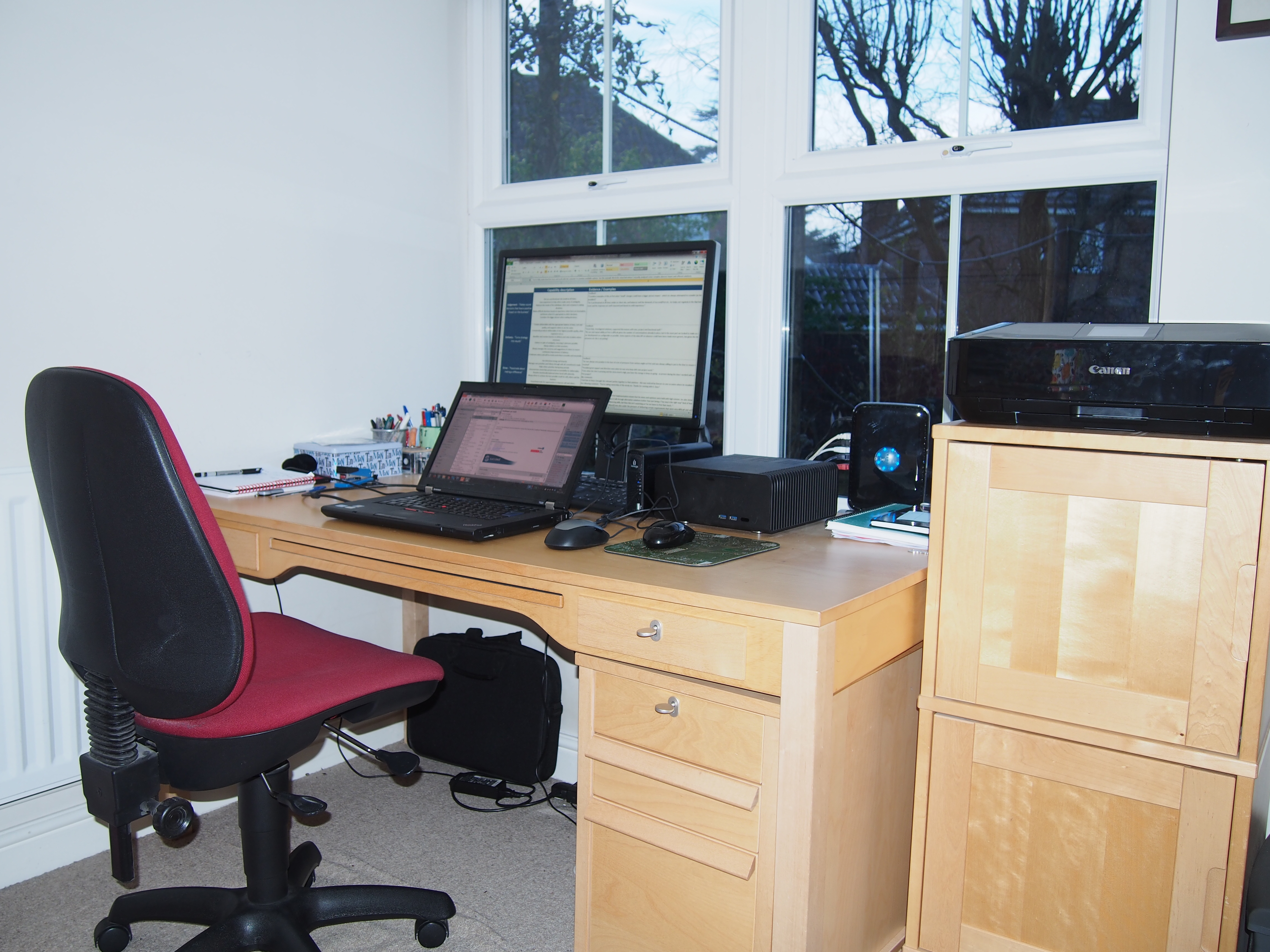
It’s not usually as tidy as shown in the photo. There’s no standing desk, but I tend to find myself on a lot of conference calls, during which I try to stand.
What do you listen to while you work?
I’ve never found it easy to concentrate when there’s music playing, so I tend to work in silence. Sometimes, however, I need to block out a noisy office, in which case I will go for guitar-based instrumental music that I know quite well and will therefore not demand too much of my attention. Examples are the hypnotic rhythms of Ali Farka Toure and Toumani Diabate, Ry Cooder’s large catalogue of film soundtracks or the Django-esque virtuosity of Joscho Stephan.
What PeopleSoft-related productivity apps do you use?
I’ve been doing a lot of work with the Interaction Hub lately and have found browser developer tools to be fantastically productive for debugging JavaScript and iScript-generated HTML. I prefer to use Chrome, but on some clients’ sites I’m limited to using IE’s usable but inferior alternative. Other than that I don’t need much more than a good text editor such as Notepad++ with a PeopleCode plugin for text highlighting.
Do you have a 2-line tip that some others might not know?
Migrating Pagelet-Wizard pages and Pivot Grids between environments is easy – PeopleSoft provides pages that generate the Export and Import DMS files for you under PeopleTools > Pagelet Wizard > Export/Import Pagelets and Reporting Tools > Pivot Grids > Pivot Grid Admininstration respectively. Admittedly, the pages’ usability could be better, but they do save a lot of time.
What SQL/Code do you find yourself writing most often?
It has to be effective date sub-selects. The %EffDtCheck meta-sql has saved me a lot of time in this regard.
What would be the one item you’d add to PeopleSoft if you could?
One that springs to mind is the ability to open more than one class in an Application Package at a time, or at least a better way to navigate the Application Class hierarchy. When investigating errors I’ve lost count of the number times I’ve dived into a class’ parent’s parent only to lose my bearings and have to start back at the original call.
What everyday thing are you better at than anyone else?
Before joining Succeed I was an independent consultant and during the early part of my PeopleSoft career I spent several years as the only technical resource at one particular client. With nobody else to bounce ideas off I had to become good at coming up with solutions to problems independently. They may not have been the most efficient or elegant ways of doing things, but they generally worked. When you’re close to a deadline and the whole team is working flat out, I have found this ability to be self-sufficient invaluable.
What’s the best advice you’ve ever received?
I can still remember being told by my boss during the mid-1990s that I ought to get myself trained on “this new thing called PeopleSoft”.
It’s more of an aphorism than a piece of advice, but I think it’s true that you should embrace change because in the IT industry it’s the only thing that’s constant.
Finally, we have a saying within Succeed that “SQL is your friend”, meaning that you can save yourself a lot of time and get quality answers to your questions if you know the data model and can write SQL to extract the information you want. Increasingly nowadays this is being morphed to “Google is your friend”, because someone somewhere in the world is likely to have experienced a similar issue to you and have blogged or raised a question about it.
PeopleSoft in the Cloud at UKOUG Apps 2013 October 31, 2013
Posted by Duncan in Cloud, PeopleSoft, UKOUG.comments closed
A couple of week’s ago, Succeed attended the UKOUG Apps 2013 conference. The turnout was a little lower than hoped for, but there was some great content over the 2 days. Succeed presented two sessions, Michelle (T&L guru and pre-sales Funcitonal expert) presented first on running Timesheets and Expenses within PeopleSoft HCM (i.e. without having the extra infrastructure that would be required for the Financials environment that Timesheets and Expenses resides in).
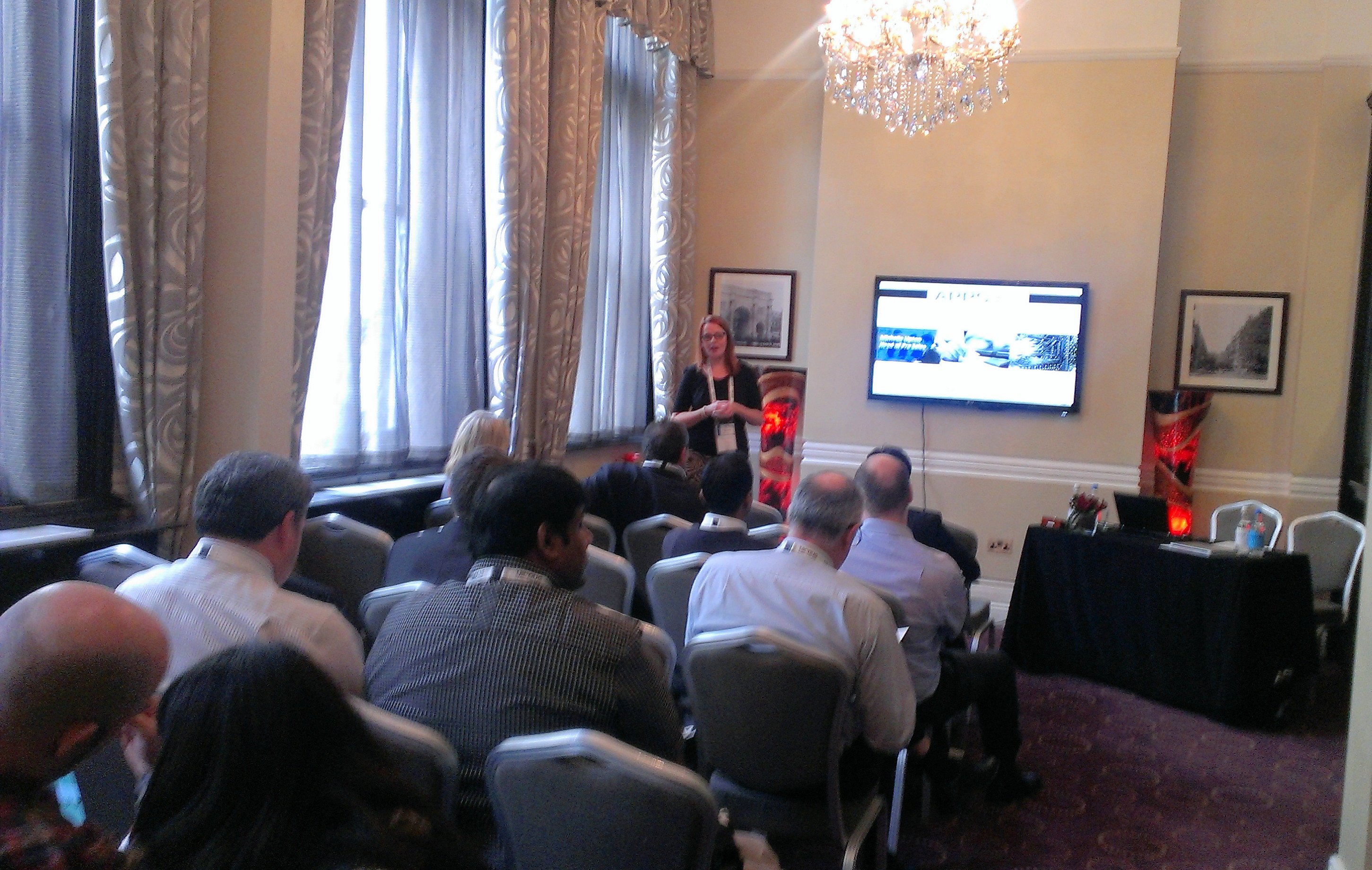
On the second day, I presented on ‘Two PeopleSoft clients and their Journey to The Cloud’. There isn’t a picture of me presenting (and I don’t look as good as Michelle anyway!), so here’s a cut-down version of the slide deck instead:
Most of the sessions were pretty full, even on the morning of the second day (traditionally not the best attended sessions!). There were few spare seats in the PeopleSoft in the Cloud session – so there is clearly a lot of interest, and “friend of Succeed” Graham Smith’s Tools 8.53 presentation was full too:

PeopleSoft and the Leap Motion July 31, 2013
Posted by Duncan in Look and Feel, PeopleSoft.comments closed
I had the chance to play with one of the new Leap Motion controllers today. My first instinct was to play some games with it, however my second instinct was to see how well it works with PeopleSoft …
UKOUG PeopleSoft Roadshow 2013 April 30, 2013
Posted by Duncan in PeopleTools.comments closed
Last week – along with others from Succeed – I attended the UKOUG PeopleSoft Roadshow. Although it’s just a single day event (where the Apps Conference is spread over two days) it does have the benefit of Senior Oracle US speakers – Jeff Robbins and Marc Weintraub.
As we have for a few years now, Succeed sponsored the event/the post event drinks.

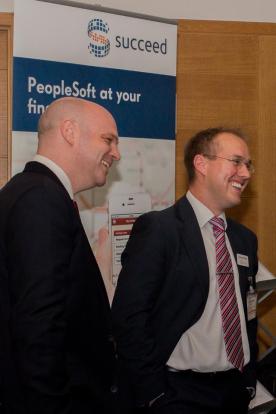
We also took out a stand, here’s John and I attempting to charm some delegates:
There’s many reasons why I enjoy attending these events. It’s great to catch up with friends I’ve worked with previously, it’s great to meet new people who we might be able to help in some way, and it’s always a treat to hear what innovations are coming down the line in recently released and future versions of PeopleSoft and PeopleTools.
So, other than the exhibition, what did we learn?
From Jeff, (other than what we’ve previously discussed on Tools 8.53) we found out:
– the release frequency of PeopleTools is now around every 12-18 months, so Tools 8.54 would be mid-2014.
– Tools 8.54 is fully defined scope-wise and the developers are almost done with it. About half of the scope for 8.55 is done.
– the way PeopleTools handles mobile devices is changing, allowing it to be much more responsive to the resolution of the requesting browser based on templates (so a page would have different templates, a large and graphically rich one for PCs on the LAN, a smaller resolution graphically leaner template for mobiles etc).
– the new Update Manager Tool isn’t that new. It’s something that Oracle/PeopleSoft have been using internally for a decade, so it should be stable and mature already.
– there’s a new ‘Mastering PeopleTools’ scheme that is starting, enabling everyone easier access to Best Practice and to make sure that customers aren’t just upgrading to stay supported, but gain genuine value from the new functionality
Jeff also flashed up some brief glimpses of something that his team are trying with Tools 8.54. They’re changing the UI a little more – and it’s a tile-based layout (more akin to Windows 8 or Pinterest, I guess). This is the landing page:

Also, to access the menu you’d hit the orange button on the right:
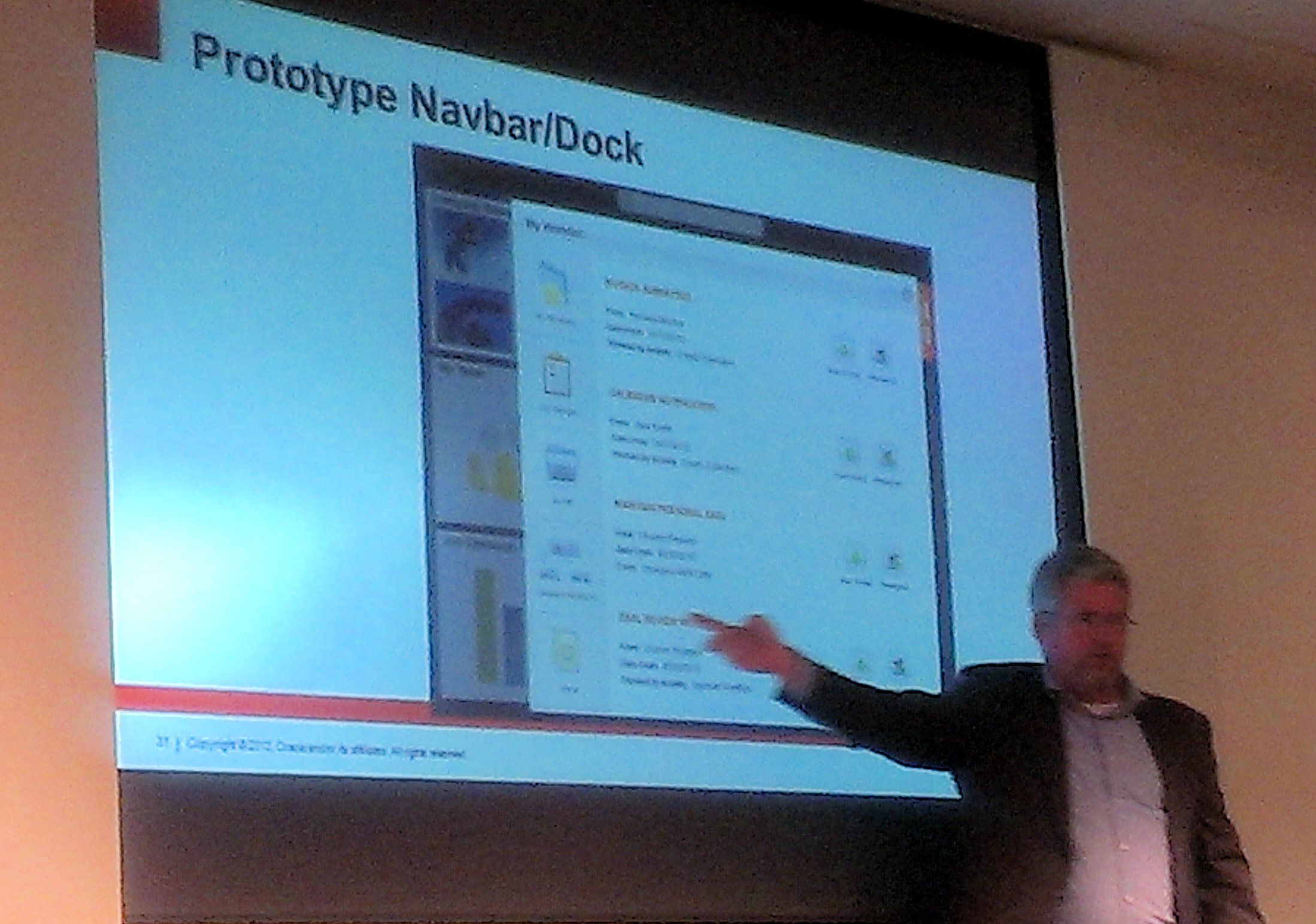
Finally, there were a host of other ‘coming soon’ areas, like In Memory Processing, TimesTen for nVision and a ‘TCO lower than SaaS’ which will be really interesting to see how it’s done. Jeff actually said PeopleSoft will have the lowest TCO in the market, bar none, which we’ll all really look forward to.
One of the most interesting take-aways for me wasn’t something that was said, but was more of a general feeling. A couple of years ago when Oracle said “we’re still investing in PeopleSoft” I don’t think many people believed them – I was certainly sceptical. However with the content in the latest Tools and App releases their claim is much more credible. There were certainly a lot of customers that I spoke to who were either planning a 9.2 upgrade or had it on their roadmap.
The first two photos are from the UKOUG Facebook page which contains many more photos of the event.
A New App! – Redirect on Sign-on March 18, 2013
Posted by Duncan in PeopleSoft App Store.comments closed
There’s a new App on the PeopleSoft App Store!
We’ve developed an enhancement that’ll save your users precious time – every single time that they logon.
Groups of users often use areas of the system almost exclusively, however other groups never go near these areas and have their own hotspots of usage. You can spare your users extra navigation effort by redirecting them to their chosen areas upon logon, be it tabs, dashboards or even a specific page within a component.
A quick shortcut for 3-tier access March 4, 2013
Posted by Duncan in PeopleTools.comments closed
I’m not sure how long you’ve been able to do this, it may have been in the product for a while, however I’ve only just discovered it.
Normally, when I need 3-tier access in App Designer I go through the process of setting up a profile in Config Manager. I believed this to be the one and only way of getting it to connect. There is a shortcut, however:

This isn’t a strangely named profile chosen from the dropdown. I’ve just specified the App Server IP (or hostname) and the WSL port and it will connect. This also gets around having to know the Domain Connection password (which you’d need to enter if setting up a Config Manager profile.


 The PeopleSoft Tipster Blog